Search Excel Files and Compare Data Instantly

Free cross-platform tool to search across multiple Excel files and compare matching rows. Available for Windows and Linux. Supports .xlsx, .xls, and CSV formats. All processing happens offline on your computer - no cloud upload required.

100% Offline
Advanced Search
Row Comparison
Open Source
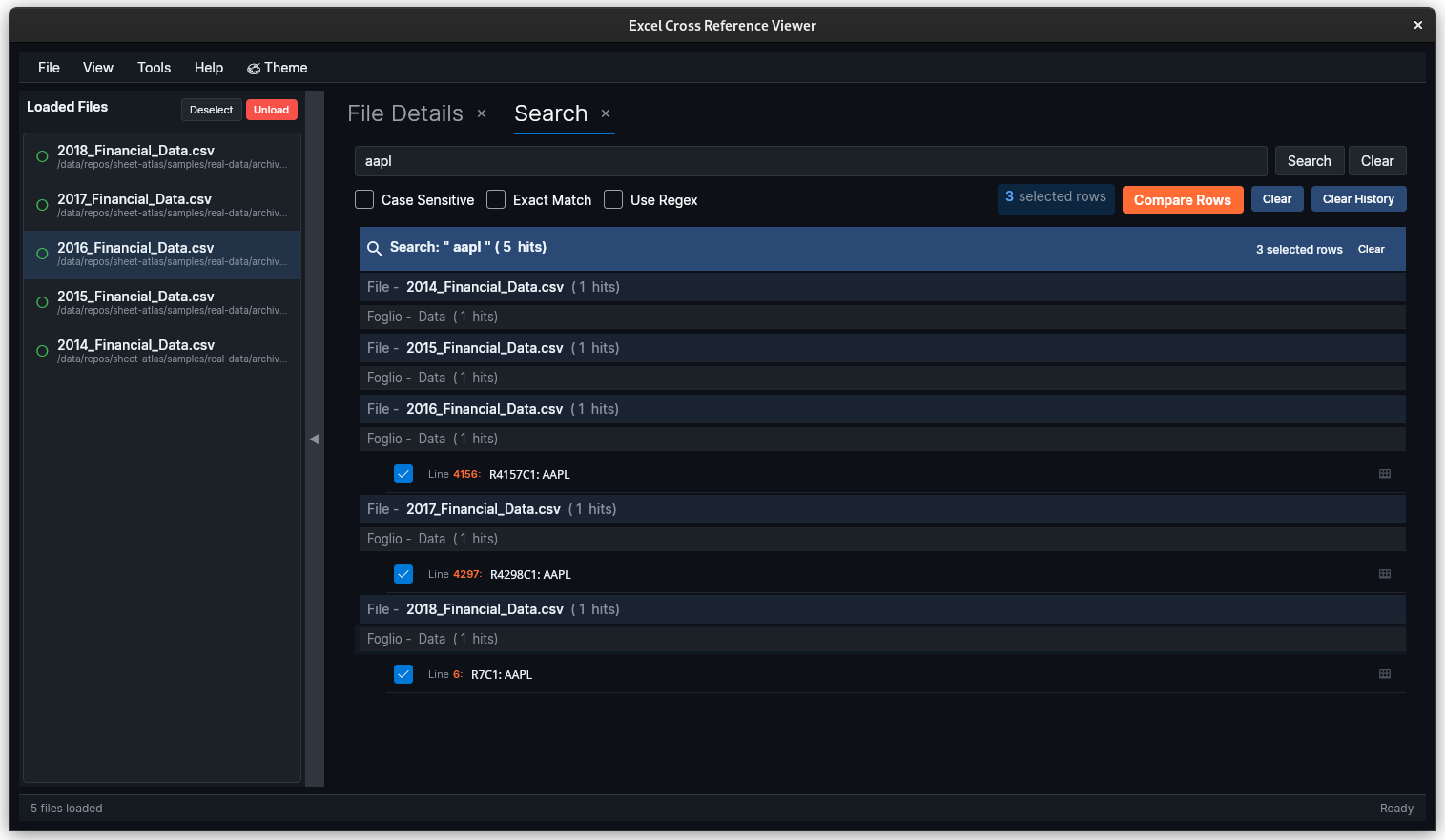
SheetAtlas search results organized in hierarchical tree view across multiple Excel files
⚠️ Alpha Software: This is a pre-release version (v0.3.3). Features are functional but may contain bugs. View all releases →

Download SheetAtlas

Alpha release - Windows and Linux installers available

Other Linux distributions: Download the .tar.gz archive from the releases page.

View release notes and changelog →

Features for Excel Analysis

Everything you need to work with Excel files efficiently

XLS

Multi-Format Support

Load multiple Excel (.xlsx, .xls) and CSV files simultaneously with intelligent error handling and merged cell support.

Advanced Search

Search across all files with regex support, case-sensitive matching, and tree-organized results.

DIFF

Row Comparison

Compare rows with intelligent column mapping that works even when columns are in different order.

SAFE

Privacy First

100% offline processing. Your data never leaves your computer, ideal for sensitive information.

Explore All Features

About SheetAtlas

Cross-platform Excel analysis tool in active development

NEW

Latest Release

SheetAtlas brings UI improvements, bug fixes, and memory optimizations. Built for reliable Excel file analysis across Windows, Linux, and macOS.

GOAL

Project Goals

Building a reliable cross-platform Excel analysis tool with focus on search capabilities and data comparison features.

CODE

Get Involved

Interested in the project? Check out the source code, follow development progress, or contribute ideas on GitHub.

View on GitHub

Get Started

Everything you need to start using SheetAtlas

DOWNLOAD

Download & Install

Get the latest version for your platform with installation instructions and system requirements.

Download Page →
DOCS

Documentation

Quick start guide, feature documentation, and troubleshooting on GitHub.

View Docs →
HELP

Support

Report bugs, request features, or get help from the community.

Get Support →